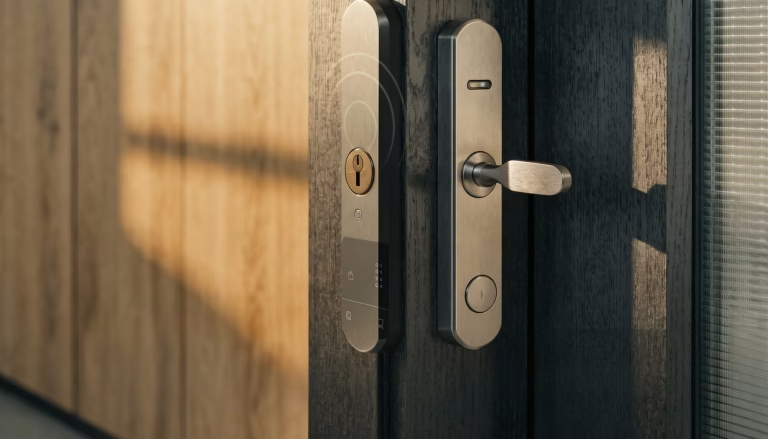
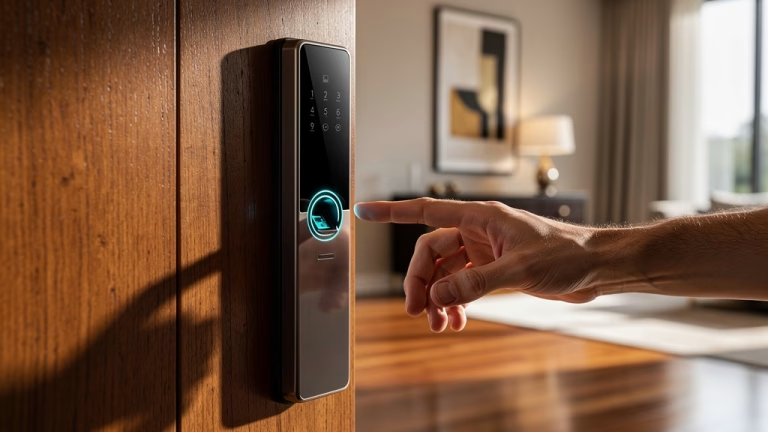
A smart front door lock is no longer just a convenience upgrade. For residential developments, rental properties, offices, hospitality spaces, and commercial buildings, it is a system-level security product that combines mechanical locking, electronic authentication, software control, and user management. That means the right product must do more than unlock with a phone or keypad. It must fit the door correctly, work reliably every day, protect user credentials, and remain maintainable after installation.
For project buyers, property managers, distributors, contractors, and OEM sourcing teams, choosing a smart front door lock requires balancing security, convenience, compatibility, durability, and supplier reliability. A lock that looks advanced on paper can still create problems if the door prep does not match, the app ecosystem is unstable, or the supplier cannot provide testing and support documentation. This guide explains how smart front door locks work, what features to compare, how to check compatibility with your door and hardware system, and how to verify durability, data security, and supplier capability before bulk purchasing.
🔐 1. How Does a Smart Front Door Lock Work to Provide Secure and Keyless Entry?
A smart front door lock combines a traditional locking mechanism with electronic access control.
Basic working principle
In most systems, the process works like this:
- the user enters a credential
- the system verifies the credential
- the internal motor or actuator engages or retracts the lock
- the door unlocks or locks
- the event may be recorded in the app or management platform
Common access methods
Smart locks may support one or more of the following:
- PIN keypad
- fingerprint recognition
- mobile app unlock
- Bluetooth credentials
- RFID card or key fob
- temporary access code
- mechanical key backup
The more access methods a system supports, the more flexible it becomes for different user groups and emergency situations.
Mechanical security still matters
Even though the access is digital, most smart front door locks still rely on a physical deadbolt, latch, mortise case, or multipoint mechanism.
That means the product is only truly secure if both parts work well:
- the electronic system must verify access reliably
- the mechanical lock body must resist forced entry and daily wear
A lock can be very smart and still be mechanically unimpressive. Doors notice this quickly.
Connectivity options
Smart locks typically use one or more of these connection types:
| Connectivity Type | Typical Use | Main Advantage |
|---|---|---|
| Bluetooth | Local unlock and setup | Lower power use and simple direct control |
| Wi-Fi | Remote access and alerts | Manage locks from anywhere |
| Zigbee / Z-Wave | Smart home integration | Better compatibility with connected ecosystems |
| Commercial platform integration | Centralized access control | Suitable for offices, rentals, and managed properties |
This comparison helps buyers decide whether the lock is meant for standalone consumer use or broader property management.
🧠 2. What Features Should You Compare When Selecting a Smart Lock for Residential or Commercial Use?
Feature selection should begin with the application, not the marketing checklist.
Residential priorities
In residential properties, buyers often prioritize:
- keyless convenience
- family user management
- temporary guest access
- mobile control
- auto-lock
- low battery warning
- emergency backup access
These features are useful for owner-occupied homes, apartments, and short-term rental properties.
Commercial priorities
In commercial or multi-user properties, buyers usually care more about:
- centralized user management
- access logs
- time-based permissions
- admin and staff roles
- remote revocation of credentials
- integration with broader access control systems
- stable long-term app or software support
Core features to compare
Regardless of project type, compare the following:
Access and control
- keypad or PIN support
- fingerprint authentication
- app-based unlocking
- RFID or card access
- temporary code creation
- user permission settings
Monitoring and alerts
- access records
- tamper alerts
- door status notifications
- low-battery warnings
- remote activity visibility
Automation
- auto-lock after closing
- scheduled locking
- geofencing in some residential applications
- remote unlock for verified users
Choose features that solve real operational needs
A short-term rental property may need temporary access codes.
A commercial office may need audit logs and admin hierarchies.
A family home may simply need secure keypad entry and app alerts.
The best smart lock is not the one with the most features. It is the one with the fewest unnecessary surprises after installation.
🚪 3. How Can You Ensure Compatibility With Your Door Type and Existing Hardware System?
Compatibility is one of the biggest failure points in smart lock projects.
Start with the existing door condition
Before selecting a smart front door lock, confirm:
- door material
- door thickness
- backset
- bore hole size
- lock body type
- door handing
- frame condition
- available mounting space on the interior side
Match the lock to the hardware platform
This is especially important because not all smart locks fit the same door prep.
Common hardware conditions include:
- single-cylinder deadbolt
- standard latch lock
- mortise lock
- multipoint locking system
- narrow stile door hardware
- glass door lock system
A smart lock designed for a retrofit deadbolt may not work on a mortise or multipoint door. Forcing compatibility here usually ends with extra machining, extra cost, and extra regret.
Door material also affects installation
Wooden doors
- usually easiest to retrofit
- more product options available
Metal doors
- require careful review of drilling and reinforcement
- compatibility with existing prep is more important
Glass doors
- often require specialized smart lock systems
- not all residential smart locks are suitable
Compatibility checks before ordering
Project buyers should verify:
- supported door thickness range
- supported backset
- lock case compatibility
- required bore or mortise dimensions
- left-hand / right-hand configuration
- whether the lock replaces or overlays the existing hardware
- compatibility with existing closers, handles, or access systems
🧱 4. How Do You Verify Durability and Mechanical Security Before Bulk Purchasing?
A smart lock is a daily-use hardware product. Frequent use, outdoor exposure, and user handling place real stress on both the mechanism and the electronics.
Mechanical durability matters first
Look for products with:
- strong lock body construction
- reinforced latch or deadbolt
- stable internal motor operation
- durable housing materials such as zinc alloy, stainless steel, or reinforced engineering materials
- anti-tamper design
- anti-drill or anti-pry structure where applicable
Exterior-use durability
For front door applications, the lock should also withstand:
- rain and humidity
- UV exposure
- temperature change
- repeated hand contact
- corrosion risk
Testing data to request
Before approving a product, ask the supplier for:
- cycle test results
- salt spray or corrosion test data
- impact resistance information
- ingress protection rating if relevant
- finish durability details
- battery life expectations under actual use conditions
Security grading and references
For some markets, buyers may also check alignment with:
- ANSI
- BHMA
- other local or regional lock performance standards
- commercial-grade or residential-grade classification
These references help distinguish a lock built for real usage from one built mainly for attractive packaging.
🔒 5. How Do You Evaluate Data Security and Software Reliability?
Smart locks do not only protect a physical opening. They also create a digital security surface.
Core data security points to verify
Before bulk purchasing, confirm whether the system provides:
- encrypted communication
- secure credential storage
- strong authentication logic
- secure password setup
- app account protection
- firmware update support
- access revocation capability
Why this matters
A smart lock may store or manage:
- user PINs
- phone credentials
- access records
- remote unlock permissions
- temporary guest access data
If the system is poorly designed, the weakness may come from software rather than from the deadbolt.
Signs of a stronger software ecosystem
A more reliable smart lock supplier should provide clear information about:
- firmware update policy
- app maintenance frequency
- user privacy handling
- server or cloud dependency
- data retention logic
- system behavior during internet failure
- fallback access if the app fails
Good practice for buyers and operators
For secure deployment, also make sure:
- default passwords are changed
- emergency access methods are available
- firmware can be updated
- account management is controlled centrally where needed
- access rights can be revoked immediately when users change
A smart lock without a clear software maintenance policy is a little like installing a door guard who may or may not come back next year.
🏭 6. How Do You Verify Supplier Reliability Before Bulk Purchasing?
For ToB and project procurement, the supplier matters as much as the product.
Key supplier capabilities to evaluate
A qualified smart lock supplier should be able to support:
- mechanical lock manufacturing
- electronics integration
- app or software support
- installation documentation
- compatibility guidance
- batch consistency
- after-sales support
Documents to request
Before placing an order, ask for:
- technical drawings
- product specifications
- door compatibility details
- testing reports
- certification information
- installation manuals
- app demo or software documentation
- warranty policy
- replacement part support information
Certifications and quality indicators
Depending on project and market, useful references may include:
- CE
- FCC
- RoHS
- lock performance testing
- battery or electronics safety documentation
- internal QC process details
Always test samples first
Before bulk purchasing, install and test samples on the actual door type if possible.
Check for:
- fit with existing hardware prep
- lock response speed
- app stability
- keypad readability
- fingerprint performance if applicable
- mechanical smoothness
- battery replacement practicality
- emergency override access
Reliability is long-term, not just at delivery
The better supplier is often the one who can still support the product after installation through:
- firmware updates
- spare parts
- technical troubleshooting
- warranty handling
- repeat-order consistency
📋 7. A Practical Workflow for Choosing a Smart Front Door Lock
A structured selection process helps reduce compatibility mistakes and procurement risk.
Recommended workflow
- Define the application
Residential home, apartment, rental property, office, hospitality, or commercial building - Choose access methods
PIN, fingerprint, app, RFID, or hybrid solution - Review connectivity requirements
Bluetooth, Wi-Fi, hub-based ecosystem, or commercial control platform - Check door and lock compatibility
Thickness, backset, hardware platform, handing, and mounting condition - Verify mechanical durability
Lock body strength, corrosion resistance, and daily-use performance - Review software and data security
Encryption, app stability, firmware policy, and user management - Evaluate supplier capability
Documentation, testing, certifications, and after-sales support - Test before bulk ordering
Sample installation, fit verification, user experience, and failure recovery
This workflow is practical for property developers, smart home distributors, contractors, commercial buyers, and OEM sourcing teams.
✅ Final Takeaway
Choosing a smart front door lock means selecting a complete access solution that combines mechanical security, digital authentication, software reliability, door compatibility, and supplier support.
For professional buyers, the most important checks include:
- understanding how the lock works mechanically and electronically
- comparing features based on the real application
- ensuring compatibility with the door type and existing hardware system
- verifying durability for daily and exterior use
- checking data security and long-term software support
- evaluating supplier reliability before bulk purchasing
A well-chosen smart front door lock can improve security, convenience, user control, and operational flexibility across both residential and commercial properties. In project procurement, that balance is what turns a smart lock from a gadget into dependable door hardware.