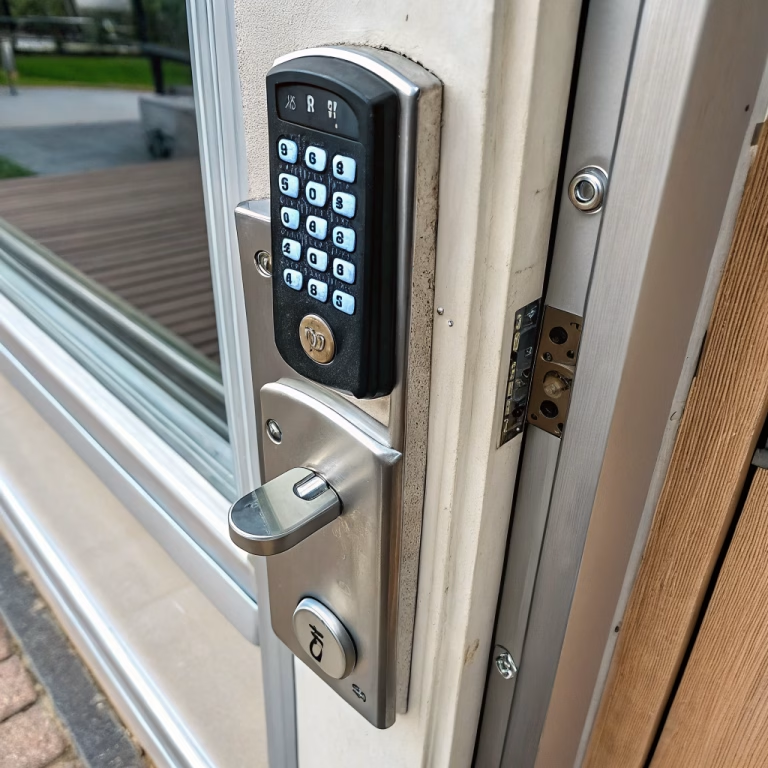
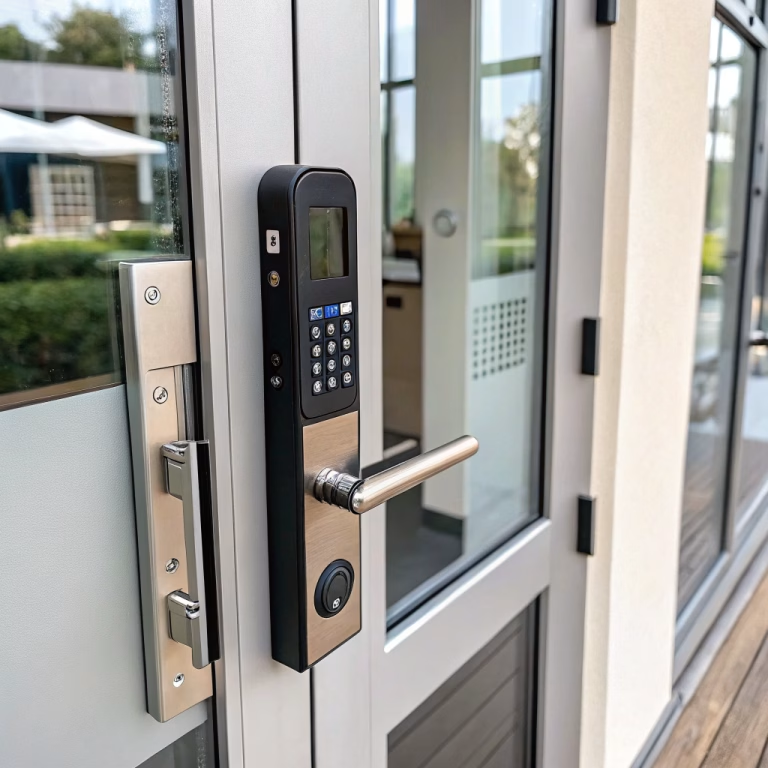
Keypad door knobs offer a convenient way to replace or reduce dependence on traditional keys. Instead of unlocking a door with a mechanical key alone, users enter a PIN on the keypad, and the lock electronically allows access.
That sounds simple—and often it is. But not all keypad door knobs are designed for the same purpose.
Some models are basic standalone locks built for simple keyless access. Others are connected smart locks that support mobile apps, RFID cards, temporary codes, access records, and remote management. For residential and light commercial applications, the right choice depends on whether the priority is:
- simple keyless entry
- multiple-user management
- Fernbedienung
- auditability
- smart-home integration
- higher commercial durability
Below is a complete guide to how keypad door knobs work, what types are available, which features matter most, and how to install and maintain them for reliable long-term use.
🔍 What Is a Keypad Door Knob and How Does It Work?
A keypad door knob is a knob-style electronic lock that allows users to unlock a door by entering a valid PIN code on an integrated keypad.
Depending on the model, it may also support:
- PIN-Codes
- RFID-Karten oder -Anhänger
- mechanical backup keys
- Bluetooth
- WLAN
- Fingerabdruckerkennung
- Steuerung über die mobile App
- Temporäre Zugangscodes
- automatische Wiederverriegelung
- Passagemodus
- access event records
Basic operating principle
A typical keypad door knob works through this sequence:
User input → controller verification → actuator or clutch release → knob turns → latch retracts → door opens
Important distinction
A keypad door knob is not automatically a “smart lock.”
Some products are:
- standalone PIN locks
- battery-powered electronic locks with no network connection
Others are:
- connected access devices
- smart locks with app control
- cloud-managed or gateway-connected products
That difference matters a lot when selecting hardware for homes, rentals, offices, and light commercial spaces.
Main Types of Keypad Door Knobs
The most useful way to classify keypad door knobs is by access method and system architecture.
Standalone keypad door knobs
These are the simplest electronic models.
Typische Merkmale
- PIN-Zugang
- internal battery power
- Automatische Sperrfunktion
- multiple user codes
- mechanische Notentriegelung
Am besten geeignet für
- Schlafzimmer
- Heimbüros
- small offices
- Mietwohnungen
- Hauswirtschaftsräume
- light commercial interior doors
Main advantage
They are easy to use and do not depend on internet access, hubs, or cloud platforms.
RFID + keypad door knobs
These locks support both numeric code entry and RFID credentials such as cards or key tags.
Am besten geeignet für
- verwaltete Wohnungen
- Büros
- small hospitality settings
- Mietobjekte
- employee access rooms
Main advantage
Users can choose between PIN and card-based access, which can simplify access management in multi-user environments.
Bluetooth keypad door knobs
Bluetooth adds smartphone-based local access.
Typische Merkmale
- phone unlocking
- digitale Schlüsselweitergabe
- Benutzerverwaltung
- local access control through an app
- nearby access-event review
Am besten geeignet für
- residential smart access
- short-stay rentals
- offices with local admin control
- users who prefer app-based access without full cloud dependence
Limitation
Bluetooth is usually local-range communication.
If remote control is required, a separate gateway or Wi-Fi bridge may be needed.
Wi-Fi keypad door knobs
Wi-Fi models support internet-connected lock management.
Typische Merkmale
- Fernverriegelung und -entriegelung
- access notifications
- App-basierte Verwaltung
- user creation and deletion
- cloud-based access records
- integration with smart-home ecosystems
Am besten geeignet für
- Smart Homes
- Mietobjekte
- remotely managed residences
- offices needing off-site administration
Limitation
Wi-Fi adds dependency on:
- network stability
- cloud services
- account security
- app reliability
- Firmware-Unterstützung
That means buyers should evaluate the entire ecosystem, not just the lock hardware.
Biometric keypad door knobs
These combine keypad access with fingerprint authentication.
Am besten geeignet für
- higher-convenience residential entry
- Einzelbüros
- users who want code-free access
- multi-user environments with controlled enrollment
Main considerations
- sensor accuracy
- wet or dirty finger performance
- outdoor reliability
- false acceptance/rejection rates
- user enrollment quality
Fingerprint access is convenient, but convenience is not the same as universal reliability in every environment.
PIN, RFID, Bluetooth, and Wi-Fi: How Do They Compare?
Here is a practical comparison of common access methods.
| Zugriffsmethode | Hauptvorteil | Main Limitation | Typical Best Use |
|---|---|---|---|
| PIN | Simple and keyless | Codes can be shared | Homes, offices, utility rooms |
| RFID | Fast and easy credential use | Cards or fobs can be lost | Offices, rentals, hospitality |
| Bluetooth | Smartphone convenience | Short-range operation | Residential, small offices |
| WLAN | Fernverwaltung | Network and cloud dependence | Smart homes, rentals, remote admin |
| Fingerabdruck | No key, card, or remembered PIN needed | Sensor/environment sensitivity | Residential, private office |
| Mechanical key | Reliable backup | Requires physical key management | Emergency access, backup use |
Practical takeaway
There is no single “best” access method.
The right choice depends on the project:
- Residential interior room: PIN may be enough
- Apartment entrance: PIN + key backup may be ideal
- Rental property: PIN + app + temporary code management may be better
- Small office: PIN + RFID can provide a useful balance
- Smart home: Bluetooth or Wi-Fi may be preferred for app integration
What Features Should I Consider When Choosing a Keypad Door Knob?
A keypad door knob should be evaluated as both a door-hardware product and an electronic access device.
1. Security features
Achten Sie auf:
- Sperre nach fehlgeschlagenem Versuch
- tamper resistance
- automatische Sperre
- administrator controls
- mechanical override
- external emergency power option, if available
2. Battery performance
Überprüfen:
- Batterietyp
- voraussichtliche Akkulaufzeit
- Warnung bei niedrigem Akkustand
- battery replacement method
- Notfall-Zugriff
- performance under frequent use
3. Durability
Rezension:
- Zyklusprüfung
- knob and latch construction
- actuator life
- keypad wear resistance
- mounting stability
- Leistung abschließen
4. User management
For multi-user applications, useful features include:
- multiple user codes
- individual user IDs
- vorläufige Codes
- geplanter Zugriff
- credential deletion
- administrator privileges
5. Connectivity and smart integration
If you need connected features, verify support for:
- Steuerung über die mobile App
- Bluetooth or Wi-Fi
- hub or gateway requirements
- smart-home ecosystem compatibility
- Firmware-Updates
- Fernbenachrichtigungen
- Prüfprotokolle
6. Door compatibility
Bitte überprüfen Sie vor dem Kauf Folgendes:
- Türstärke
- Türsturz
- bore size
- latch dimensions
- Übergabe
- Türmaterial
- Streikkompatibilität
A keypad lock that fits poorly is just an expensive lesson with batteries.
Is a Keypad Door Knob More Secure Than a Mechanical Lock?
Not automatically.
A keypad door knob solves some problems associated with physical keys, but it introduces new considerations.
Mechanical lock risks
- verlorene Schlüssel
- copied keys
- Auswahl
- bumping
- physical attack
Electronic lock risks
- weak PINs
- poor credential management
- battery failure
- app or account compromise
- firmware vulnerabilities
- connectivity weaknesses
Best way to think about it
A keypad lock should be evaluated as a complete security system, not just as a “more modern” lock.
That means assessing:
- physical construction
- access logic
- alternative Zugriffsmethode
- user behavior
- software support
- installation quality
Cybersecurity Matters for Connected Keypad Locks
For Bluetooth, Wi-Fi, or cloud-connected keypad door knobs, cybersecurity becomes part of the product specification.
Questions commercial buyers should ask
- Is communication encrypted?
- How are admin accounts protected?
- Can credentials be individually revoked?
- Are firmware updates supported?
- Are updates authenticated?
- Is data stored locally or in the cloud?
- How long will software be maintained?
- What happens if the platform is discontinued?
Warum das wichtig ist
A connected lock is both:
- a physical security device
- a network-connected device
That means its real security depends on both sides.
🔋 How Important Is Battery Life?
Battery life is one of the most practical specifications in electronic locking.
A keypad lock can look excellent on paper but become frustrating in daily use if the battery system is poorly designed.
Key battery considerations
- battery chemistry
- battery quantity
- expected cycles per set
- Warnmeldungen bei niedrigem Akkustand
- emergency backup method
- motor efficiency
- standby power use
- Betriebstemperaturbereich
Important note
Battery life claims like “up to 12 months” are only useful if the conditions are understood.
Heavy usage, misaligned doors, cold weather, and Wi-Fi connectivity can all reduce real-world battery life.
Durability: Why Usage Frequency Matters
Not every keypad door knob is built for the same duty cycle.
A residential bedroom may see relatively low use.
A rental unit, office room, or shared facility may see far more frequent operation.
For B2B or higher-use projects, check
- Fahrradleistung
- latch durability
- internal actuator strength
- knob wear resistance
- keypad life
- housing durability
- finish wear resistance
- battery performance under repeated use
For commercial procurement, durability should be discussed with actual test data wherever possible.
Common Materials Used in Keypad Door Knobs
Most keypad locks use a combination of materials.
Edelstahl
Often used where strength and corrosion resistance are important.
Zinklegierung
Common for housings and decorative die-cast parts.
Aluminium
Useful for lightweight structures and some modern designs.
Messing
Seen more often in premium or traditional hardware styles.
Engineering plastics
Häufig verwendet in:
- internal housings
- battery compartments
- keypad elements
- electronics protection parts
Practical takeaway
The visible housing material alone does not determine overall lock quality.
The full product should be judged by:
- actuator design
- latch construction
- internal mechanism quality
- sealing
- mounting design
- electronic reliability
The Keypad Itself: What Should I Check?
The keypad is one of the most heavily touched parts of the product, so usability matters.
Check for
- tactile feedback
- backlighting
- visibility in low light
- button wear resistance
- cleaning resistance
- weather suitability
- touchscreen vs physical buttons
- responsiveness with gloves or wet fingers if relevant
General observation
- Physical buttons are often better for practical reliability
- Touch keypads may offer a cleaner visual appearance
The best choice depends on the application and user expectations.
Weather Resistance and Outdoor Use
For exterior or semi-exterior doors, do not assume every keypad door knob is suitable for outdoor exposure.
Check for
- IP rating where provided
- moisture resistance
- UV-Beständigkeit
- Korrosionsschutz
- temperature tolerance
- condensation performance
- Eignung für den Einsatz bei Regen
Warum das wichtig ist
A lock may be “electronic,” but rain, dust, and heat are not especially impressed by marketing language.
For coastal or harsh environments, corrosion and sealing become especially important.
Installation: What Should I Check Before Installing?
Before installation, verify the opening first.
Door preparation checklist
- Türstärke
- Türsturz
- Durchgangsbohrungsgröße
- Durchmesser der Randbohrung
- latch size
- Streikkompatibilität
- Übergabe
- Türmaterial
Also confirm
- the door opens and closes properly
- the latch aligns with the strike
- the door is not sagging
- the existing prep matches the new lock
This is essential because a keypad lock should not be expected to fix a poorly aligned door.
How To Install a Keypad Door Knob
Installation varies by model, but a typical process looks like this:
- Remove the existing knob or lockset
- Confirm the new lock matches the door prep
- Install the latch and strike
- Install the exterior keypad assembly
- Install the interior assembly
- Connect any required cable
- Tighten mounting hardware evenly
- Insert batteries
- Program the administrator credential
- Add user codes or credentials
- Test locking and unlocking with the door open
- Test the mechanical backup method
- Confirm final operation with the door closed
Best practice
Always test the lock fully before depending on it in everyday use.
Because discovering setup mistakes while locked out is a poor but memorable training method.
Why Door Alignment Is So Important
A keypad door knob relies on a combination of mechanical and electronic movement.
If the door is misaligned, the lock may experience:
- increased actuator load
- slow locking
- noisy operation
- höherer Batterieverbrauch
- incomplete latching
- vorzeitiger Verschleiß
Practical rule
Before blaming the electronics, check the door alignment and strike condition.
Many “lock problems” begin as door problems.
How To Maintain a Keypad Door Knob
Good maintenance includes both mechanical and electronic checks.
Mechanical maintenance
Inspect:
- knob tightness
- Verriegelungsvorgang
- Streikausrichtung
- mounting screws
- door sagging
- smooth turning action
Electronic maintenance
Überprüfen:
- battery condition
- keypad response
- active user credentials
- app connectivity if applicable
- firmware status
- emergency power or override function
Cleaning
Use manufacturer-recommended cleaning methods.
Avoid harsh chemicals that may damage:
- keypad surfaces
- coatings
- seals
- labels
- fingerprint sensors
Choosing the Right Keypad Door Knob by Application
Different applications need different priorities.
| Anwendung | Most Important Features |
|---|---|
| Bedroom / interior room | PIN access, simple use, low cost |
| Eingang zur Wohnung | PIN, key backup, auto-lock, battery warning |
| Homeoffice | PIN, multiple users, simple management |
| Mietobjekt | temporary codes, app management, remote control |
| Small office | multiple users, audit capability, PIN/RFID |
| Hospitality / managed room | RFID, user administration, reliable turnover control |
| Outdoor side door | weather resistance, battery reliability, backup entry |
| Light commercial room | stronger durability, user management, reliable latch control |
Most important lesson
Do not choose the lock with the longest feature list by default.
Choose the lock that best matches:
- user behavior
- management needs
- Türart
- environment
- durability expectations
What Should Buyers Ask Manufacturers?
For B2B procurement, these are the questions that matter most.
Mechanical questions
- What door thickness range does it support?
- What backset and bore sizes are required?
- What latch type is used?
- Is it suitable for left- and right-hand doors?
- What is the cycle rating?
Electronic questions
- How many PIN users can it store?
- Does it support RFID, Bluetooth, Wi-Fi, or fingerprint?
- Does it support access logs?
- Can credentials be individually managed?
Battery questions
- What batteries are required?
- What is the expected operating life?
- Is there a low-battery alert?
- Is there an emergency power option?
Security questions
- Is there failed-attempt lockout?
- Is there anti-tamper detection?
- Is communication encrypted for connected models?
- How are software updates handled?
Certification and testing questions
- What product standards apply?
- Are there cycle, strength, and finish test results?
- Are there wireless or EMC certifications where relevant?
- Is there an IP rating for outdoor models?
✅ Key Takeaways
Hier ist die praktische Zusammenfassung.
- A Türknauf mit Tastatur is not always a smart lock
- Some are simple standalone PIN locks
- Others add RFID, Bluetooth, Wi-Fi, app control, and audit records
- The right choice depends on whether you need:
- Einfacher schlüsselloser Zugang
- multi-user management
- remote administration
- smart-home integration
- stronger commercial durability
- Evaluate the product as both:
- door hardware
- electronic access device
- Überprüfen:
- Türkompatibilität
- security features
- Akkulaufzeit
- usage frequency
- connectivity
- maintenance needs
- weather suitability
- installation quality
The best keypad door knob is not the one with the most features. It is the one that fits the door, supports the users, matches the environment, and delivers reliable operation over time.
FAQ
No. Some keypad door knobs are simple standalone electronic locks, while others include Bluetooth, Wi-Fi, app control, and smart-home integration.
They can be secure when the mechanical design, credential management, installation, and battery backup are properly considered. Connected models should also be evaluated for cybersecurity.
PIN-only models are simpler and often easier to maintain. Bluetooth or Wi-Fi models are better when remote control, app management, or access logs are needed.
Battery life varies by usage, motor efficiency, climate, and connectivity. Many models perform well for months, but high-use or Wi-Fi-connected locks may consume batteries faster.
Recommended Source Material to Cite
1. ANSI/BHMA A156.36 — Auxiliary Locks
ANSI Webstore — ANSI/BHMA A156.36-2020 Auxiliary Locks
This is your strongest standards source for discussing operational performance, cycle durability, strength, security, and finish.
2. NIST — IoT Cybersecurity Requirements
NIST IoT Device Cybersecurity Requirement Catalog
Use this when discussing authentication, device identification, authorized configuration, access control, and cybersecurity for connected keypad locks.